
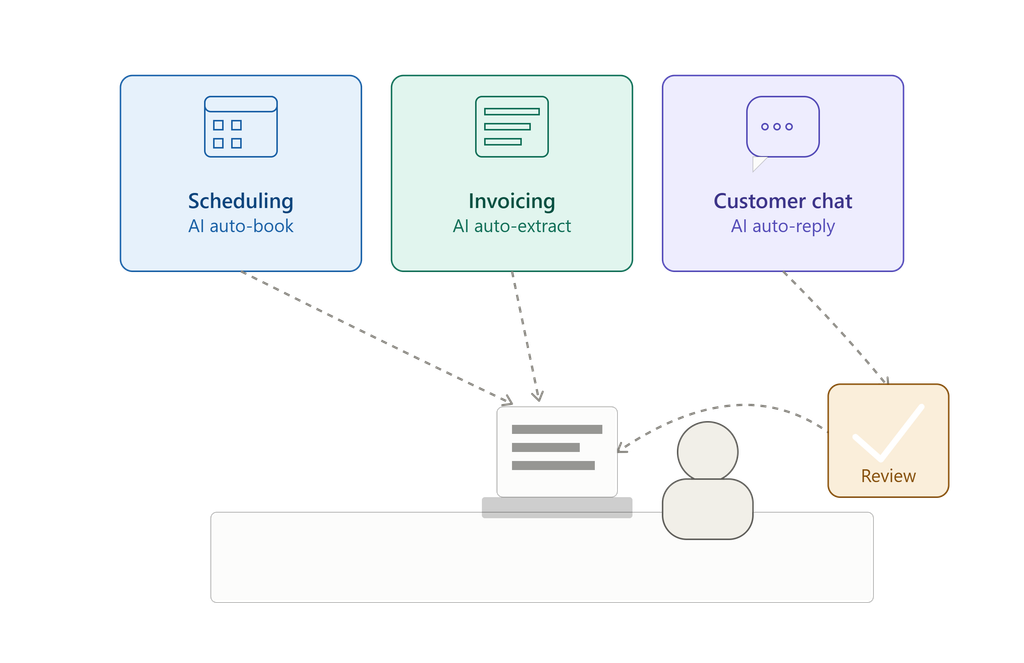
AI tools have flooded the market, and most of the hype makes them sound like magic. They’re not. But a handful of them are genuinely good at narrow, well-defined jobs, the kind of repetitive work that eats hours out of a founder’s or ops person’s week. Here’s a look at three that deliver on the promise, what they cost, free alternatives if budget is tight, and one popular use case where handing over full control still gets people burned.
Note: Pricing shown reflects rates at the time of writing and is subject to change. Always confirm current pricing directly with the provider.
1. Scheduling: Motion
Back-and-forth emails to find a meeting time are a small tax that adds up fast. Motion uses AI to auto-schedule meetings and tasks around your existing calendar, re-arranging your day when priorities shift or something runs long.
Pricing: Paid only — plans start around $19/user/month for the entry-level tier, scaling up for team and higher “AI Employee” tiers. There’s no permanent free plan.
Concrete use case: A consultant running client calls all week stops manually blocking time between sessions. Motion looks at deadlines, meeting length, and buffer preferences, then builds the day automatically, including quietly rescheduling a low-priority task when a client call runs over.
Free alternatives: If you don’t need the full auto-replan-my-week capability, a few tools cover the basics at no cost:
- Reclaim.ai — free plan handles time-blocking and habit scheduling; paid tiers (~$10/user/month) add more advanced auto-scheduling.
- Trevor AI — free for personal use, with AI suggesting time slots for your to-do list.
- Calendly — free plan gives unlimited 1:1 meeting bookings, though it’s a booking-link tool rather than a full auto-scheduler.
None of these fully replicate Motion’s “reshuffle my whole day automatically” behavior. That’s generally what you’re paying for.
2. Invoicing: Bill.com
Pricing: Mostly paid, with one genuinely free piece. The core AP/AR automation is subscription-only — Essentials starts around $10/user/month, Business around $15/user/month, Enterprise around $22/user/month, with custom pricing above that. A free trial is available on the paid tiers.
Free option: Bill.com also offers a completely free Spend & Expense product — corporate cards, budget controls, receipt capture, and expense reporting, with no subscription or per-user fee. If your main pain point is expense tracking rather than full invoice-to-payment automation, this alone might cover it.
Concrete use case: A small agency receiving dozens of vendor invoices a month no longer has someone retyping numbers from PDFs into their accounting software. The AI extracts the data, flags anything that looks off (a duplicate invoice number, an amount that doesn’t match the PO), and routes the rest straight into the approval queue.
3. Customer Replies: Intercom Fin
Answering “where’s my order,” “how do I reset my password,” or “what’s your refund policy” a hundred times a day doesn’t need a human. It needs a good knowledge base and a bot that can search it. Intercom’s Fin answers these first-line questions instantly, pulling from a company’s help docs.
Pricing: Paid and usage-based, on top of Intercom’s regular seat fees. Fin charges $0.99 per resolved conversation, layered on Intercom’s per-seat plans (roughly $19–$132/seat depending on tier). There’s a 14-day free trial with unlimited resolutions and no credit card required, but no permanent free tier. Worth noting: at high support volume, the per-resolution fee can outstrip the seat cost, so it’s worth estimating your expected volume before committing.
Concrete use case: An e-commerce brand’s support inbox gets flooded during a sale. Fin resolves the routine shipping and account questions on the spot, so the two-person support team only sees the messages that actually need a judgment call.
Free alternatives:
- Featurebase — free plan includes unlimited support conversations, unusually generous for this category; paid tiers with more advanced AI resolutions start around $29/seat/month.
- Chatwoot — fully open-source and free if self-hosted, with no per-resolution fees at all. Requires some technical setup and upkeep. It also has paid plans from $19-$99/agent/month.
- Tidio — free plan available; its AI chatbot (Lyro) is bundled into paid plans starting around $24.17/month.
- Freshchat — free for up to 10 agents.
These free options generally have less sophisticated AI than Fin, but for a small team fielding routine questions, they can go a long way before you need to pay anything.
Where AI Still Needs a Human in the Loop: Complaint Handling
Here’s the part most “AI will save your business” posts skip: fully automating customer complaint resolution is a mistake.
A complaint isn’t a FAQ. It usually involves a frustrated person, an ambiguous situation, and a decision with real financial or relational stakes. A refund, a discount, an exception to policy. AI is good at pattern-matching language, but it’s bad at judgment calls involving fairness, tone, or the kind of context a human picks up on instantly (“this customer has spent $4,000 with us over three years” or “this is their third complaint this month and something’s actually wrong with our product”).
Let an AI auto-resolve a complaint about a late shipment with a canned discount, and most of the time it’s fine. But the one time it isn’t, a customer who’s genuinely upset, a mistaken auto-refund that trains people to game the system, or a legitimate safety issue buried in angry phrasing. The cost of getting it wrong is much higher than the time it saved. It’s also worth knowing that some tools count a conversation as “resolved” simply when the customer stops replying, not necessarily when the issue was actually fixed. A good reminder that automated metrics don’t always mean automated success, whether you’re on a paid AI agent or a free one.
The better setup: use AI to draft a first response, summarize the complaint, and pull up relevant order history, then have a human review before anything is sent or refunded. You get the speed without losing the judgment.
The takeaway
The tools that work well right now are the ones handling narrow, repeatable tasks – scheduling, data entry, first-line support. None of the “flagship” tools (Motion, Bill.com’s full AP/AR, Intercom Fin) are free, but genuinely useful free options exist for each category, like Reclaim or Trevor AI for scheduling, Bill.com’s own Spend & Expense for basic expense tracking, and Featurebase or Chatwoot for customer support. They won’t match the polish or depth of the paid leaders, but they’re a reasonable place to start before committing budget.
The moment a task involves judgment, empathy, or money changing hands based on a subjective call, that’s where a human still needs to be in the loop. No tool, free or paid, changes that. Businesses that get the most out of AI right now aren’t the ones automating everything, they’re the ones being deliberate about where the line is.